Where can I view my packages and what do the statuses mean?
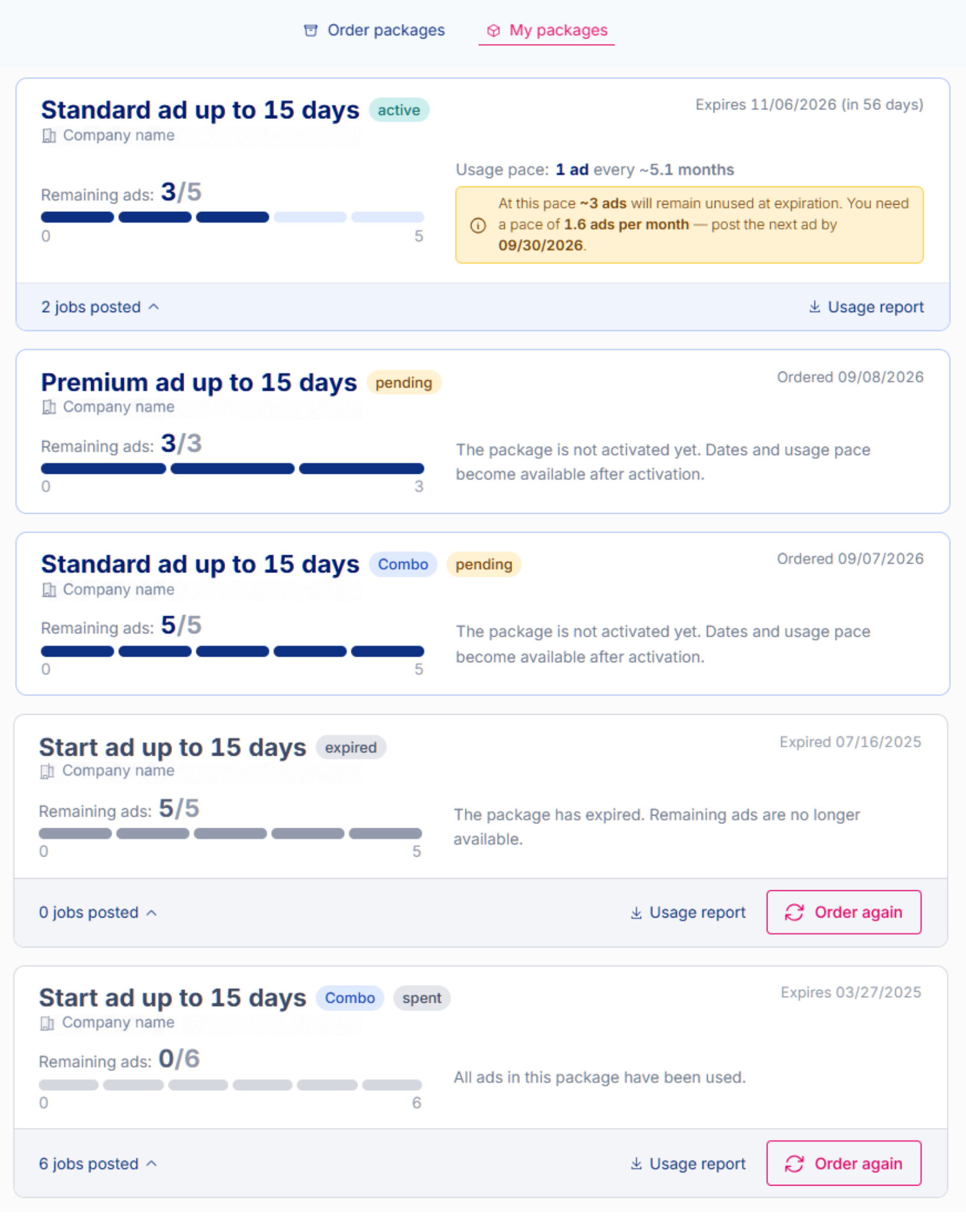
You can view all your packages on the My packages tab. For each package, you can see how many ads have been used, how many remain available, when the package was activated, when it expires and how many days remain.
For an active package, you can also see your usage pace and an estimate of how many ads you are likely to use before the package expires based on your activity so far. If you are not expected to use the entire package at that pace, you will also receive a recommendation on when to publish your next ad.
For each package, you can open the list of published job postings and download the Usage report.
The statuses are:
- ACTIVE: the package is ready to use and you can publish ads immediately.
- PENDING: your order has been received, but the package has not yet been activated. We activate the package after processing your order and you can start publishing ads from it as soon as it is activated.
- SPENT: all ads from the package have been published.
- EXPIRED: the package has expired and any remaining ads are no longer available. You will also see the option to order the package again.
You can find answers to all questions about job ad packages here: How do job ad packages work?
Was this information useful?